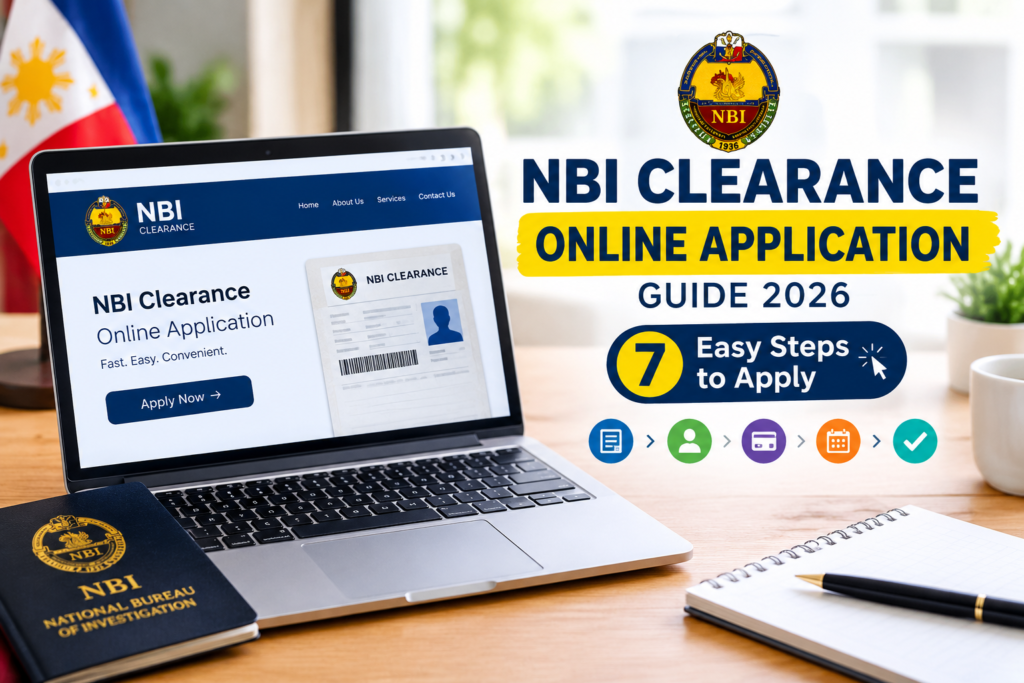
NBI Clearance Online Application Guide 2026: 7 Easy Steps to Apply
Fact Checked: September 28, 2026 | Reviewed by: NBI Online Clearance PH Editorial Team | Reading Time: 16 minutes
Transparency Statement: NBI Online Clearance PH is an independent informational website. We are not affiliated with, endorsed by, or connected to the National Bureau of Investigation (NBI), the Department of Justice (DOJ), or any Philippine government agency. This guide provides educational information only. We cannot process your application or access NBI systems. For official transactions, always visit clearance.nbi.gov.ph.
NBI Clearance Online Application Guide: Start Your Application the Right Way
The NBI Clearance online application is the mandatory first step for anyone who needs a National Bureau of Investigation clearance in the Philippines. Whether you are a first-time job seeker, a professional renewing an expired clearance, an OFW preparing for deployment, or a foreign national complying with visa requirements, you must complete the online application before visiting any NBI branch.
Many applicants encounter problems simply because they do not know the correct sequence of steps. Some register with the wrong email, others lose their reference number, and many book appointments only to discover their personal details do not match their valid ID. This NBI Clearance online application guide walks you through the entire process in seven clear steps, from creating your account to claiming your printed clearance.
By the end of this guide, you will know exactly what to prepare, how to avoid common errors, and how long the entire process takes from start to finish.
Key Takeaways
- The application is done online, but biometrics require in-person attendance. You cannot complete the entire process through the website.
- Your email address is your account identity. Use a permanent email you will never lose access to.
- Personal details must match your valid ID exactly. Even a missing middle name can cause rejection at the branch.
- Payment confirms your appointment. Booking alone is not enough—unpaid slots expire.
- Save your reference number and QR code. Without them, you may be denied entry on appointment day.
- First-time job seekers may apply for free. RA 11261 grants a fee exemption with a Barangay Certification.
What Is the NBI Clearance Online Application?
The NBI Clearance online application is the web-based registration and appointment booking system operated by the National Bureau of Investigation. It replaced the old walk-in system in which applicants lined up at NBI branches without prior scheduling.
Through the online portal, you can create an account, submit your personal information, choose an appointment branch and time, pay the clearance fee electronically, and receive an appointment reference number. The portal does not issue the clearance itself. Instead, it prepares your record so that your biometrics—photograph, fingerprints, and digital signature—can be captured quickly during your scheduled branch visit.
Definition: NBI Clearance Online Application
The NBI Clearance online application is the official digital process by which an applicant registers personal information, schedules a biometrics appointment, and pays the clearance fee through the NBI Clearance portal at clearance.nbi.gov.ph. It is a prerequisite for the in-person biometrics capture required before an NBI Clearance certificate can be issued.
Requirements Before You Start the Online Application
Preparation prevents most application errors. Before logging in to the portal, make sure you have the following ready.
Personal Information
- Complete legal name (first, middle, and last name)
- Date and place of birth
- Gender and civil status
- Complete current and permanent address
- Active mobile number and email address
- Mother’s full maiden name and father’s full name
Valid Government-Issued ID
You will need at least one original valid ID on appointment day. Commonly accepted IDs include the Philippine Passport, Driver’s License, UMID Card, PhilID or National ID, PRC License, Voter’s ID, Postal ID, and School ID for students. See the full list in our NBI Clearance requirements guide.
Payment Method
- GCash or Maya with sufficient balance
- Online banking credentials (BDO, BPI, Landbank, Metrobank, UnionBank)
- Cash for over-the-counter payment at 7-Eleven, Bayad Center, LBC, or SM Bills Pay
For Special Applicant Types
- First-time job seekers: Barangay Certification for the RA 11261 fee exemption
- Foreign nationals: Passport and Alien Certificate of Registration (ACR I-Card)
- OFWs: OWWA membership details if applying for overseas employment purposes
Step 1: Create Your NBI Clearance Account
The first step in the NBI Clearance online application is registering an account on the official portal. Open your browser and go to clearance.nbi.gov.ph.
Registration Steps
- Click the Register or Sign Up button on the homepage.
- Read and accept the Terms of Service and Privacy Policy.
- Enter your active email address. This will be your permanent login and the channel for all NBI notifications.
- Create a strong password and confirm it.
- Complete the CAPTCHA verification.
- Check your email inbox for the verification link and click it to activate your account.
Important: Use an email address you will keep indefinitely. If you lose access to your registered email, recovering your NBI account becomes very difficult. Avoid using temporary or work emails that may be deactivated.
If You Already Have an Account
Renewal applicants and returning users should simply log in with their existing credentials. If you forgot your password, use the “Forgot Password” function. If you no longer have access to your registered email, you may need to register a new account. Refer to our guide on NBI Clearance problems and solutions for account recovery help.
Step 2: Fill Out the Online Application Form
Once logged in, the system prompts you to complete the application form. This is the most critical stage of the NBI Clearance online application because errors here carry through to your printed clearance.
Information You Must Provide
- Full name: Enter your first name, middle name, and last name exactly as they appear on your birth certificate and valid ID.
- Date of birth: Use the date picker. Ensure it matches your ID.
- Place of birth: City or municipality and province.
- Gender and civil status: Select from the dropdown options.
- Address: Provide both current and permanent addresses with complete details.
- Contact information: Mobile number and email address.
- Family details: Mother’s full maiden name and father’s full name.
- Application type: Select “New Application” for first-timers or “Renewal” if you have held a clearance before.
Critical Accuracy Tips
- Do not use nicknames or abbreviated names. Use your complete legal name.
- If your name has a suffix (Jr., Sr., III), include it in the appropriate field.
- Double-check the spelling of every field before clicking submit. Corrections after submission require a branch visit.
- Match your birthdate to your PSA birth certificate, not to what you remember.
Step 3: Book Your Appointment
After completing the application form, the system directs you to the appointment scheduling page. This is where you select the branch, date, and time for your biometrics capture.
How to Choose a Branch
- NBI Main Office (Manila): Highest volume, most slots, but crowded. Best for applicants in Metro Manila who need same-week availability.
- Regional Offices: Full-service branches in major cities such as Cebu, Davao, Baguio, Iloilo, and Cagayan de Oro.
- Satellite Offices: Smaller branches inside city halls and government centers. Often less crowded.
- Mall-Based Centers: Convenient locations inside major shopping malls. Popular, so slots fill quickly.
For a complete directory, visit our NBI Clearance branches page.
How to Choose a Date and Time
Slots are real-time and first-come, first-served. Popular branches in Metro Manila may be fully booked two to four weeks in advance. If your preferred branch has no available slots, try satellite offices or provincial branches. Weekday mornings tend to have the most availability. Detailed booking strategies are in our NBI appointment online guide.
Step 4: Pay the NBI Clearance Fee
Your appointment is not confirmed until payment is completed. The standard NBI Clearance fee is PHP 155, plus an e-payment service charge of approximately PHP 25 to PHP 50 depending on the channel.
| Payment Channel | How to Pay | Confirmation Speed |
|---|---|---|
| GCash | Pay Bills > Government > NBI Clearance | Instant to 5 minutes |
| Maya | Bills > Government > NBI | Instant to 5 minutes |
| Online Banking | BDO, BPI, Landbank, Metrobank, UnionBank | Within 1 hour |
| Over-the-Counter | 7-Eleven, Bayad Center, LBC, SM Bills Pay | Within 24 hours |
| First-Time Job Seekers | Barangay Certification required | Free under RA 11261 |
For a full breakdown of fees, exemptions, and payment procedures, read our NBI Clearance fee guide.
Warning: Never pay through unofficial channels or individuals offering to “process” your clearance for a fee. All payments must go through the official NBI Clearance portal or its authorized payment partners.
Step 5: Save Your Reference Number and QR Code
After successful payment, the system generates an appointment confirmation page containing your reference number and QR code. These are the two most important elements of your NBI Clearance online application.
What to Do Immediately
- Print the confirmation page. A physical copy is the safest backup.
- Save a screenshot on your smartphone for digital access.
- Check your email for the automated confirmation message and keep it in your inbox.
- Store the reference number in a note-taking app, cloud document, or password manager.
You will need to present your reference number or QR code upon arrival at the NBI branch. Without them, you may be denied entry or required to reschedule. If you lose your reference number, log in to your NBI account to retrieve it, or visit the branch with your valid ID.
Step 6: Attend Your Biometrics Appointment
The online portion of your application ends here. The next stage requires your physical presence at the NBI branch you selected.
What to Bring on Appointment Day
- Appointment confirmation (printed or digital) with QR code and reference number
- At least one original valid government-issued ID that matches your application details
- Proof of payment (GCash or Maya receipt, bank slip, or payment reference number)
- Barangay Certification if you are a first-time job seeker availing of the fee exemption
What Happens On-Site
- Verification: Security personnel scan your QR code or check your reference number.
- Identity check: An NBI officer verifies your valid ID against your application data.
- Digital photograph: Remove eyeglasses and heavy accessories for a clear frontal image.
- Fingerprint scanning: All ten fingers are captured using a biometrics machine.
- Digital signature: Sign on an electronic pad matching your ID signature.
- Data review: Verify your personal information on the screen before final submission.
For No-HIT applicants, the entire on-site process takes 5 to 10 minutes, and the clearance is often printed and released on the same day. For HIT cases, expect 5 to 10 working days for verification. See NBI Clearance processing time for full timelines.
Step 7: Claim Your NBI Clearance
Once your application status updates to “Ready for Release,” you can claim your printed clearance. You have two options.
Option 1: Branch Pickup
Return to the NBI branch where you completed biometrics. Bring your reference number and the same valid ID you presented during your appointment. Claim within 30 days of the release date, as unclaimed clearances may be archived.
Option 2: Courier Delivery
If you selected door-to-door delivery during your application, your clearance will be shipped to your registered address. Delivery takes:
- 3 to 7 days for Metro Manila and Luzon
- 7 to 10 days for Visayas and Mindanao
Read our full guide on NBI Clearance delivery for tracking information.
Verify Your Clearance Before Leaving
Check the spelling of your name, birthdate, and other details. If you spot an error, report it immediately at the releasing section. Corrections after leaving the branch require a new visit and possibly a new application.
Complete NBI Clearance Online Application Timeline
| Stage | Estimated Duration |
|---|---|
| Account registration | 5 to 10 minutes |
| Filling out the application form | 10 to 20 minutes |
| Appointment slot wait (Metro Manila peak) | 1 to 4 weeks |
| Appointment slot wait (Provincial / satellite) | Same day to 1 week |
| Payment confirmation | Instant to 24 hours |
| On-site biometrics (No-HIT) | 5 to 10 minutes |
| On-site biometrics (HIT) | 5 to 10 working days |
| Courier delivery (if selected) | 3 to 10 days depending on region |
Application Guide by Applicant Type
First-Time Applicants
Select “New Application” during the form stage. Ensure your valid ID matches your entered details exactly. First-time applicants with clean records typically receive same-day release after biometrics.
Renewal Applicants
Log in to your existing NBI account if possible, and select “Renewal.” Using the same email preserves your application history. Full guidance is available in NBI Clearance renewal.
First-Time Job Seekers
You may qualify for a free NBI Clearance under Republic Act 11261. Prepare a Barangay Certification confirming first-time job seeker status before booking. The fee exemption is applied during the payment stage.
OFWs and Seafarers
Apply as early as possible if you are on a tight deployment schedule. Choose courier delivery only if you have a reliable receiving address. Read NBI Clearance for employment for OFW-specific guidance.
Foreign Nationals
Use the same portal but present a passport and ACR I-Card on appointment day. Expect longer processing of 2 to 3 weeks due to manual fingerprinting and possible Interpol verification.
Students and Minors
Students may use a School ID, though a government-issued ID is preferable. Minors applying for educational purposes may need a parent or guardian present during the appointment.
Common Online Application Mistakes to Avoid
| Mistake | Consequence | Prevention |
|---|---|---|
| Using a temporary or work email | Loss of account access and appointment confirmations | Register with a permanent personal email address |
| Name mismatch with valid ID | Rejection at biometrics verification | Match every field exactly to your ID and birth certificate |
| Booking without paying | Slot expires and is released to other applicants | Pay immediately after selecting a slot |
| Losing the reference number | Denied entry at the branch | Save digitally and print a hard copy |
| Bringing an expired ID | Cannot proceed with biometrics | Renew your ID before booking the appointment |
| Arriving late on appointment day | Slot forfeited | Arrive 15 to 30 minutes early |
Troubleshooting Online Application Problems
Cannot Log In
Use the “Forgot Password” function to reset your password. If your email is not recognized, you may have registered with a different email or never completed registration.
Website Not Loading
Try accessing the portal during off-peak hours (early morning or late evening). Clear browser cache, switch browsers, or change your internet connection. Server overload is common during peak application months.
Payment Failed but Amount Deducted
Wait 24 hours for reconciliation. Keep your transaction receipt. If the status does not update, contact your payment channel and then visit the NBI branch with proof of payment.
No Available Appointment Slots
Check early morning for newly released slots. Try satellite offices and mall-based centers outside your immediate area. Be persistent—cancellations happen throughout the day.
For a full troubleshooting guide, visit NBI Clearance problems and solutions.
Expert Tips for a Smooth NBI Clearance Online Application
- Apply during off-peak months. January to March and June to July are peak seasons due to employment cycles. Applying in April, May, August, or September improves slot availability.
- Screenshot every stage. Capture your registration confirmation, application summary, appointment details, and payment receipt.
- Bring two valid IDs. If your primary ID is questioned, a backup prevents wasted trips.
- Review before submitting. Spend an extra minute verifying your name spelling, birthdate, and address.
- Choose pickup if you need speed. Courier delivery adds days to your total wait time.
- Track your status. Use the NBI portal to monitor your application. See NBI Clearance status tracking.
- Avoid fixers. No one can expedite your clearance for a fee. All official processes go through the portal and branch.
Frequently Asked Questions About the NBI Clearance Online Application
- How do I apply for an NBI Clearance online?
- Register at clearance.nbi.gov.ph, complete the application form, book an appointment, pay the fee, attend biometrics, and claim your clearance.
- Can I complete the entire NBI Clearance application online?
- No. Only registration, form submission, appointment booking, and payment are done online. Biometrics capture requires personal appearance at an NBI branch.
- What email should I use for my NBI account?
- Use a permanent personal email you will keep indefinitely. Avoid work emails or temporary addresses.
- How long does the online application take?
- Registration and form completion take 15 to 30 minutes. The appointment slot wait can range from same-day to four weeks depending on the branch.
- What valid ID should I use?
- Philippine Passport, Driver’s License, UMID, PhilID or National ID, PRC License, Voter’s ID, Postal ID, or School ID. See requirements.
- How much is the NBI Clearance fee?
- PHP 155 plus an e-payment service charge of PHP 25 to PHP 50 depending on the channel. First-time job seekers may qualify for free processing.
- Can I change my appointment after booking?
- Yes, you can reschedule through the portal before your appointment date, subject to available slots.
- What happens if I miss my NBI appointment?
- Your slot is forfeited and the fee is non-refundable. You must book a new appointment and pay again.
- How long does NBI Clearance processing take?
- 5 to 10 minutes on-site for No-HIT applicants, or 5 to 10 working days for HIT cases. See processing time.
- Can I apply without a valid ID?
- No. A valid government-issued ID is mandatory for identity verification during biometrics.
- Is there a free NBI Clearance for students?
- The fee exemption under RA 11261 applies to first-time job seekers, not students in general. Students may qualify if they are also first-time job seekers.
- How do I know if my application was submitted successfully?
- You will receive an email confirmation and an appointment reference number. The portal also shows your application under “My Appointments.”
- Can I use a different email for my renewal?
- You can, but your previous application history will be under the old email. Using the original email is recommended for continuity.
- What if I made a mistake in my application form?
- Minor errors can sometimes be corrected at the branch before biometrics. Significant errors like wrong name or birthdate may require a branch visit and correction request.
- Do I need to print my appointment confirmation?
- Printing is recommended, but a digital copy on your smartphone is generally accepted. Have both for safety.
- What happens if the NBI website is down during my application?
- Wait and retry during off-peak hours. Server maintenance typically happens at night. Try a different browser or clear your cache.
- Can I apply for multiple people using one account?
- No. Each applicant must have their own NBI account. Biometrics are personal and cannot be completed by proxy.
- How do I check my application status?
- Log in to the portal and check “My Appointments.” Read status tracking for details.
- What is the difference between new application and renewal in the form?
- New Application is for first-time applicants with no previous NBI record. Renewal is for applicants who have held an NBI Clearance before.
- Is the NBI Clearance valid nationwide?
- Yes, the NBI Clearance is valid nationwide and accepted by employers, government agencies, and institutions across the Philippines.
- Can I book an appointment on the same day I register?
- Yes, if slots are available. Same-day slots are rare